
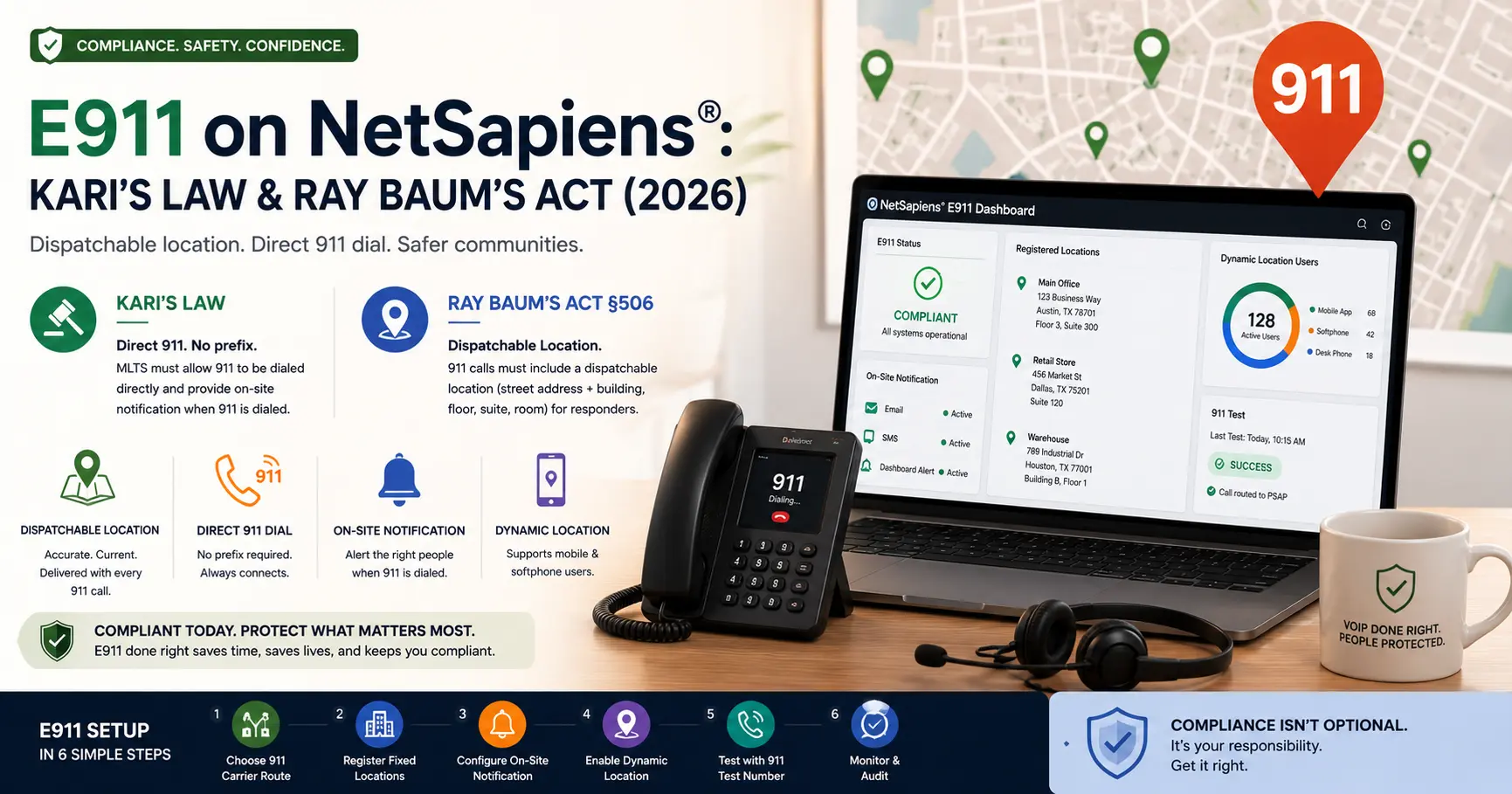
E911 is the one VoIP feature where misconfiguration has both safety and legal exposure. A 911 call that does not route, or routes without a dispatchable location, can have a real human cost — and US federal law (Kari’s Law in 2018, RAY BAUM’s Act §506 in 2018, with FCC implementation rules through 2022) puts MLTS operators on notice for getting it right. This guide covers how E911 works on NetSapiens®, the operational setup for new tenants, and the disclaimers you should pair with this and any other operational reference on a compliance topic.
This guide is an operational summary, not legal advice. Consult qualified legal and compliance counsel for the specific requirements that apply to your deployment, your jurisdiction, and your customers’ circumstances.
The two US laws to know
Two pieces of federal legislation set the modern bar for E911 on multi-line telephone systems (MLTS), which includes most VoIP reseller deployments.
Kari’s Law (2018, effective February 16 2020)
Named for Kari Hunt Dunn, who was killed in 2013 in a hotel room while her daughter tried and failed to reach 911 by dialing 9-9-1-1 (because the hotel PBX required a 9 prefix for outside dialing). The law requires MLTS systems manufactured, imported, sold, leased, or installed in the US after the effective date to:
- Allow direct 911 dial — no prefix, no access code. Dialing 911 reaches 911.
- Send on-site notification when 911 is dialed — to a person designated to know an emergency call is in progress (front desk, security, management).
RAY BAUM’s Act §506 (2018, FCC implementation 2021-2022)
Section 506 of the Repack Airwaves Yielding Better Access for Users of Modern Services Act required the FCC to adopt rules ensuring that the dispatchable location of a 911 caller is provided to public-safety answering points (PSAPs). FCC rules adopted in 2019 set effective dates running from 2021 (fixed MLTS devices) through 2022 (non-fixed and off-premises devices).
A dispatchable location is a street address plus sub-address detail — building, floor, suite, room — sufficient for responders to find the exact location of the caller.
These laws apply to the deployment, not just the platform vendor. As an MLTS operator (which is what most NetSapiens® resellers are), you are in scope.
What “dispatchable location” actually means
A dispatchable location is what a 911 dispatcher needs to send responders to the right place. Not just an address — the specific address with enough detail to dispatch.
For a fixed desk phone:
123 Main Street, Suite 400, Floor 4, City, State ZIP
For a softphone in a multi-tenant office building:
- The same address plus the user’s known floor or suite.
For a mobile user (in a car, in a coffee shop, at home):
- Their location at the time of the 911 call — which the platform must obtain dynamically, either from the user (who updates their location when they move) or from the device’s network or OS location signals.
The “dynamic” part of dispatchable location is what makes mobile and softphone E911 hard. A desk phone never moves; a softphone user can be in three cities a week.
How NetSapiens® handles the building blocks
NetSapiens® supports the technical pieces required to comply with these laws, but the operational work is the operator’s. The platform pieces:
- Per-device location registration. Each provisioned phone can be tagged with its registered location address. Fixed phones register once and stay.
- Dynamic location capture. Softphone and mobile apps can capture location at call time and forward it to the 911 carrier as part of the SIP signalling.
- 911-direct dial-plan routing. The match rule for
911routes directly to the 911 carrier path, with the user’s location attached. - On-site notification hooks. The platform can send notifications (email, SMS, integration webhooks) when a 911 call is placed from a tenant.
- 911 test number routing. A non-emergency test number that simulates a 911 call end-to-end, used for verification without dialing real 911.
The operator is responsible for: choosing a compliant 911 carrier, registering the actual addresses, wiring the notifications to the right recipients, and testing.
Setup sequence for a new tenant
The phased setup we run for a new NetSapiens® tenant’s E911:
Phase 1 — Choose a compliant 911 carrier route
Not every SIP trunk is a compliant 911 route. Some carriers do not support E911 at all; others support it only in certain jurisdictions; others support it with specific dispatchable-location handling. Verify with the carrier before bringing a tenant live:
- E911 supported in every jurisdiction the tenant operates in.
- Dispatchable location can be registered and dynamically updated.
- The carrier’s PSAP routing has been tested for the tenant’s primary location.
Phase 2 — Register fixed caller locations
For each fixed location the tenant operates from — main office, retail location, satellite office — register the dispatchable address with the 911 carrier. Include sub-address detail (floor, suite, room) where the location is more than a single point.
Map each fixed phone (by MAC address or device profile) to a fixed location. When that phone dials 911, the location is known.
Phase 3 — Configure on-site notification (Kari’s Law)
Decide who needs to know when 911 is dialed from this tenant. Typically:
- Front desk for a single-floor office.
- Security operations for a multi-tenant building.
- Management on-call for after-hours notification.
Configure the notification target — email, SMS, dashboard alert, or all three — and test that notifications fire when a 911 call is placed.
Phase 4 — Set up dynamic location for soft clients
For softphone users and mobile-app users, configure the deployment to capture location at call time. Two common patterns:
- User-entered location with periodic prompt. The user enters their current location in the softphone or web portal, and is re-prompted on a schedule or when the device detects a network change.
- Device-provided location. The mobile-app or desktop softphone provides location via OS APIs (with user permission) at call time.
For most reseller deployments, both patterns coexist — manual addresses for home workers (whose location rarely changes), dynamic location for true mobile users.
Phase 5 — Verify direct-dial 911 (Kari’s Law)
Confirm the dial plan routes 911 directly with no access prefix. The 911 match rule must sit at the top of the dial plan, above any catch-all or general outbound rules. Document this so it survives future dial-plan edits — a routine outbound dial-plan change that accidentally absorbs 911 is one of the worst regression risks on the platform.
Phase 6 — Test through the platform’s 911 test number
NetSapiens® (like every carrier-grade VoIP platform) provides a 911 test number that simulates a 911 call end-to-end without dialing real PSAPs. Use it:
- Once per fixed phone, to confirm the registered location is correctly attached.
- Once per representative softphone user, to confirm dynamic location capture.
- On every dial-plan change that could affect 911 routing — never assume the 911 path is still clean after touching the dial plan.
Never test E911 by dialing actual 911. Use the test number. PSAPs are not your test environment.
Common pitfalls
The recurring issues we see across deployments:
- Skipped Phase 1. Operator assumes the existing SIP trunk handles 911. It may not, or it may not in every jurisdiction. Verify per-jurisdiction before going live.
- Stale fixed-location registrations. Tenant moves office; the registered location stays at the old address. Routine quarterly review of fixed locations catches this.
- Notification target left at the default. On-site notification fires to a generic mailbox no one reads. Specify a real recipient and confirm it.
- Softphone users with no captured location. A new softphone user is added; nobody walks them through dynamic-location setup; their next 911 call has no dispatchable location. Bake location capture into the user-provisioning checklist.
- Dial-plan edit absorbs 911. A catch-all rule placed above the 911 rule absorbs the emergency call. The 911 rule must always sit at the top, and any dial-plan review should verify the order.
- Untested 911 after a configuration change. Any change that touches 911 routing — new carrier, new dial plan, new tenant — gets retested through the 911 test number before being declared live.
What we run for resellers
E911 configuration and ongoing maintenance is part of our white-label Tier 1–4 NetSapiens® support for resellers — including new-tenant E911 setup, location registration, and quarterly compliance reviews of fixed-location records. For the broader compliance picture covering 10DLC, see also our 10DLC TCR vetting guide. For the overall NetSapiens® operational picture, the NetSapiens® support and operations page is the pillar.
Independence and disclosure
VoIP Support Pro is an independent provider of support services for the NetSapiens® platform. We are not affiliated with, endorsed by, or sponsored by NetSapiens® or Crexendo, Inc. NetSapiens® is a registered trademark of Crexendo, Inc.
This guide is an operational summary, not legal advice. E911 compliance is governed by federal law (Kari’s Law, RAY BAUM’s Act, FCC rules), and additional state or local requirements may apply. The legal-effective-date and scope summaries in this guide are general descriptions for orientation, not authoritative compliance interpretations. Consult qualified legal and compliance counsel for the specific obligations that apply to your deployment, your jurisdiction, and your customers’ circumstances.