
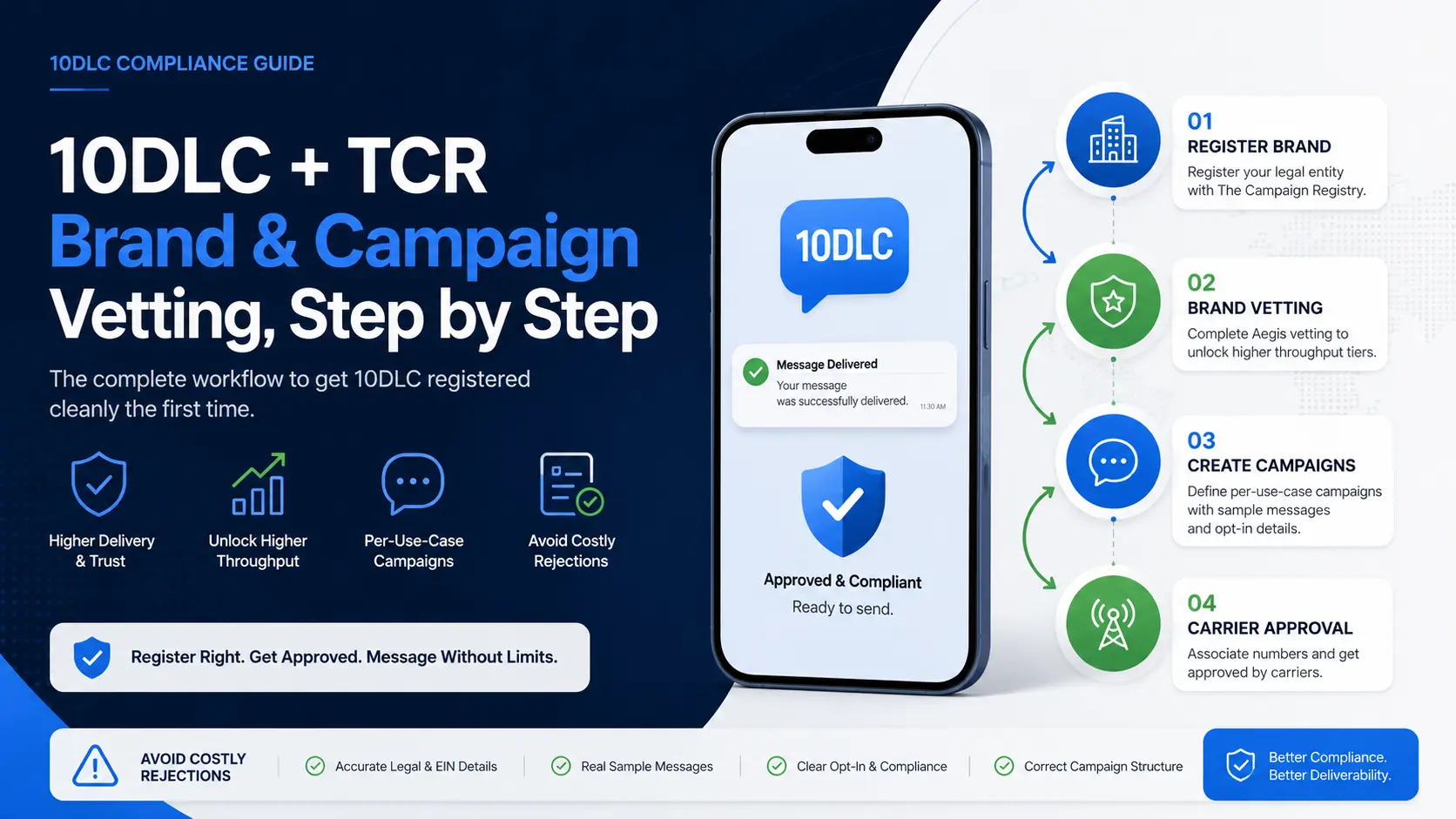
10DLC registration on US carrier networks isn’t optional anymore. Unregistered 10-digit long-code traffic is filtered at the carrier, deliverability collapses below 50 %, and most messages never reach the recipient. Worse, the registration process has enough variables — brand vetting tiers, per-use-case campaigns, sample-message language requirements, per-carrier throughput rules — that a first-time submission gets rejected more often than not. This is the step-by-step workflow that gets 10DLC registered correctly on the first try, the rejection patterns to avoid, and the operational checkpoints that keep registrations from lapsing later.
The structure: Brand → Campaign → Carrier
The Campaign Registry (TCR) sits between you and the carriers. Every piece of 10DLC traffic the carriers accept ties back to a TCR registration with two layers:
- Brand: your legal entity. One brand per legal entity, regardless of how many products or use cases. Registered with TCR, optionally vetted through Aegis (or another vetting partner) for higher throughput tiers.
- Campaign: a specific messaging use case. One brand can have many campaigns. Customer-care, marketing, account notifications, two-factor authentication, and delivery notifications are each separate campaigns with separate vetting.
A campaign isn’t approved until its brand is approved. A carrier won’t accept traffic from a number until the campaign is approved and the number is associated with it. Skip a step, and the whole chain breaks.
Step 1: Register the Brand
This is the easiest step on paper and the most often botched in practice.
Required fields:
- Legal name as registered with the IRS or equivalent (EIN holder for US entities). The name on the TCR registration must match the EIN record exactly — including punctuation, capitalization, and any “LLC” / “Inc.” suffix.
- EIN (or tax ID for non-US entities). Pull this from the IRS letter, not from internal records, because misremembered EINs are the single most common rejection reason.
- Vertical: the closest match from the TCR-supplied list. Pick narrowly — “Technology” is too broad; pick “Telecommunications” if you’re a VoIP provider, “Software” if you’re a SaaS platform.
- Entity type: Public Company, Private Company, Non-Profit, Government, Sole Proprietor. The vetting bar differs by entity type — public companies often pass with less documentation, sole proprietors usually need additional ID.
- Stock ticker (public companies only).
- Authorized contact: a real person at the entity with email and phone. TCR may verify by calling.
Submit. Brand approval is usually 24 hours for clean submissions, longer if any field requires manual review.
Step 2: Decide whether you need Brand Vetting
Brand registration alone gets you the lowest throughput tier on each carrier. For higher tiers (Tier 1 throughput on T-Mobile, AT&T, Verizon), the brand needs to be vetted by an approved vetting partner — typically Aegis.
Vetting tiers and the throughput they unlock change quarterly. As a rough guide:
- Standard Brand (no vetting): low throughput, suitable for very low volume use cases.
- Aegis Standard Vetting: medium throughput, suitable for most customer-care and account-notification volumes.
- Aegis Enhanced Vetting: high throughput, suitable for marketing campaigns or any high-volume traffic.
Vetting costs (one-time): Standard ~$40, Enhanced higher. The vetting submission takes 5–10 business days. Aegis evaluates the brand’s legitimacy using public records — incorporation, web presence, regulatory history. Vetting can fail for reasons that have nothing to do with the brand itself (web domain too new, regulatory filing missing). When it fails, you can appeal with documentation.
Step 3: Design the Campaigns
A campaign represents one messaging use case. Carriers and TCR evaluate campaigns separately, so the campaign structure matters more than most engineers realize.
For each use case you want to send traffic for, you’ll need:
- Campaign use case: pick from the TCR list. Common ones: Customer Care, Account Notification, Marketing, 2FA, Delivery Notification, Polling/Survey.
- Sub-use cases: secondary classification (often required).
- Sample messages: 2-5 examples of actual messages this campaign will send. Critical: these must be real-format messages, not placeholders.
- Embedded links and phone numbers: declare whether messages will contain them. Affects carrier filtering rules.
- Opt-in mechanism: how recipients consent. Must include the actual opt-in language and a description of the collection method (web form, SMS keyword, point-of-sale, etc.).
- Opt-out mechanism: must support STOP, UNSUBSCRIBE, CANCEL, END, QUIT keywords. Sample STOP confirmation message required.
- HELP keyword: required. Sample HELP response required.
The most common rejection at this stage isn’t content — it’s missing opt-in documentation. TCR wants to see how recipients agreed to receive messages. “Customer signed up on our website” isn’t enough. They want the URL of the signup form, screenshots of the consent checkbox, and the exact language above the consent button.
Step 4: Submit and watch for the common rejection patterns
Campaign approvals take 24–72 hours. The rejection patterns to watch for:
- Sample message doesn’t match use case. Marketing language in a customer-care campaign, or transactional language in a marketing campaign. Fix: re-draft samples to match the chosen use case strictly.
- No opt-out language in samples. Every sample message should include “Reply STOP to opt out” or equivalent. Some carriers reject if a single sample is missing the disclosure.
- Embedded URLs that look suspicious. Shortened links (bit.ly, tinyurl) are flagged. Always use first-party domain links or branded shorteners. Sample messages with
bit.ly/xyzare nearly always rejected. - Opt-in language too vague. “By providing your phone number you agree to receive messages” is weak. Strong: “By checking this box and providing your phone number, you agree to receive marketing text messages from [Brand]. Msg & data rates may apply. Reply STOP to cancel.”
- Brand-campaign vertical mismatch. A “Telecommunications” brand running a “Marketing” campaign for a clothing retailer doesn’t pass — TCR expects the campaign content to align with the brand’s stated business.
Step 5: Assign numbers to the campaign
Once the campaign is approved, associate phone numbers to it. On NetSapiens®, this is configured per-tenant in the messaging operations console. Each number can be assigned to one campaign at a time. Numbers not assigned to an approved campaign continue to get filtered.
Carriers query TCR for the number-to-campaign mapping when traffic hits their network. Cached lookups update within 24 hours of TCR changes.
Step 6: Monitor throughput and filter rates
A registered campaign starts at the throughput tier its brand qualifies for. Monitor against the actual sending rate:
- T-Mobile, AT&T, Verizon each report Tier Per Brand Per Carrier (TPBPC) throughput limits separately.
- If actual sending exceeds tier limit, traffic queues at the carrier (good case) or drops (worst case).
- If filter rate climbs above ~5 %, carrier-side reputation is degrading — often because message content drifted from the registered samples or recipients are flagging as spam.
A clean operational metric to track per campaign: filter rate (filtered ÷ sent) week over week. If it climbs, content has drifted or list quality has degraded. Re-vet the campaign before carriers escalate to throttling.
Step 7: Renewals and re-verification
Brand vetting doesn’t expire on a fixed calendar, but carrier-side reviews can re-verify at any time. Some triggers:
- Major brand changes (entity name change, EIN change, vertical change).
- Sustained filter rate degradation.
- Quarterly random sampling by carriers.
A brand or campaign that fails re-verification gets suspended — sometimes silently. Track every brand and campaign’s last review date and review reason in a tracker. When a re-verification request lands, respond within carrier-published windows or registration lapses.
When to outsource this work
10DLC is operationally heavy. A NetSapiens® provider running 30 customers might have 30 brands and 60-90 campaigns under active management, each with its own vetting state, throughput tier, and renewal calendar. The operational discipline to keep all of that current is rare in-house.
Our 10DLC registration and compliance service handles brand registration, Aegis vetting, per-use-case campaign drafting, sample-message writing, and ongoing compliance monitoring — including renewal tracking and filter-rate alerts. For NetSapiens® providers managing this across many tenants, the operational savings compound quickly. And for the broader operational layer this sits inside — Tier 1–4 NetSapiens® helpdesk, dial plan support, billing operations — our white-label VoIP helpdesk service covers the daily work that 10DLC compliance is one slice of.
The discipline that gets approved on the first try
Three rules, in order:
- Match the EIN exactly. Brand name and EIN holder name must match the IRS letter character-for-character.
- Write opt-in documentation, not opt-in summaries. TCR wants screenshots, URLs, and the exact consent language — not “users agreed during signup.”
- Pick the most specific use case. Generic campaigns get rejected. Narrow ones get approved.
Get those three right and most submissions clear the first round. Get them wrong and you’re spending 6 weeks revising while carrier-side reputation suffers.